Here is a list of tools I’ve made some made by others that I use & would highly recommend.
Jiiris
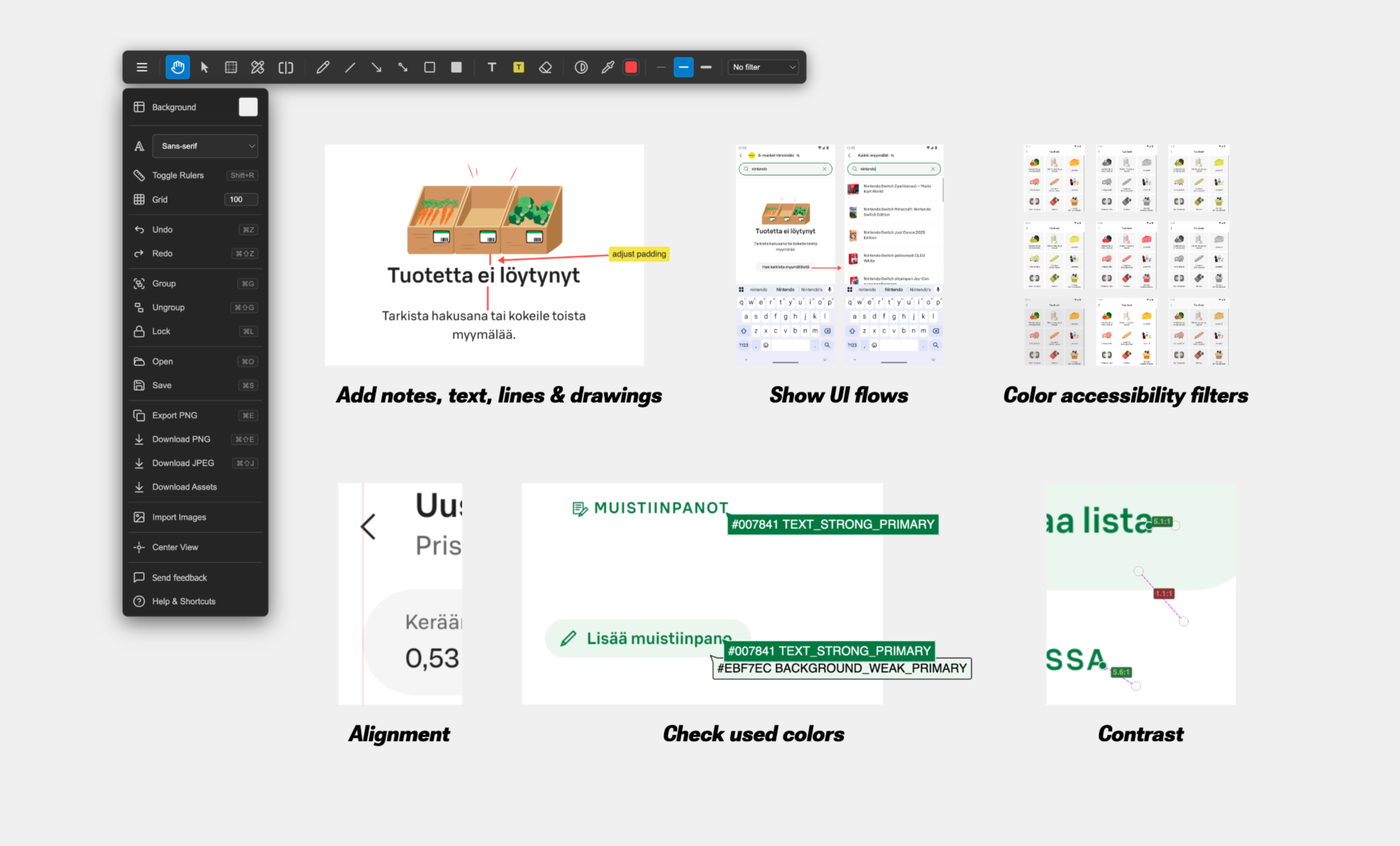
Jiiris originally it started as a “before & after screenshot” tool to show the visual changes in code merge requests, but now has tools for checking alignment, contrast, accessibility color filters, color picker with support for named colors, basic drawing tools & hotkey’d export as image to clipboard.
It’s free to use, client-side only and feedback would be appreciated!
Notes
- Markdown to RTF: Write markdown and easily export is RTF to be used in Slack, Confluence, email or even Jira.
- Daily meeting notes template generator: Add team member names and automatically create daily meeting notes template.
Code generators
- QR and barcode generator: Create barcodes in bulk & share them via link.
- WiFi QR code login generator
Development & other
- JS eval scriptpad: Input -> code -> output with JavaScript. Run code instantly with shift+space hotkey & share scripts with links.
- React Native borders & colors: Copy basic styles for when making layouts to visually see elements.
- Timer & alarm
- Before & After screenshot preview: Easily create a before & after combination screenshot.
Kämpät.com
- Add apartment and house listings by pasting Oikotie.fi links
- Add your own comments, such as notes from the apartments, viewing times and realtor details
- Share list of apartments with a link
- Calculate cost estimates for loan
- You can put your own finances & bank loan details to easily get estimates for all listings you’ve added
- Default percentage or custom downpayment amount
- Calculates the % of income spent on living costs
- Gives a euro per square metre per month estimate that is comparable between apartments regardless of size
- Show square metre price development for the area by postal code
- Displays most relevant information such as year it was built, square metre price, property ownership, floor number and the amount of apartments in the housing company
- Listings have links to Google Maps & housing company details
Tools I use but not made by me:
- Acorn: lightweight image editing
- FSNotes: Markdown notes
- Ghostty: terminal emulator
- Hammerspoon: macOS scripting and automation tool.
- Lazygit: TUI Git client. Simple and efficient.
- Monodraw: diagram tool with ASCII & Unicode export. Allows to add diagrams to anything that has monospace typeface
- nnn: termina file browser & manager. Has completely replaced
ls&cdfor me. - Red Lines Tool: add photo editor like guide lines to any screen & app
- Stats: Add memory, CPU & GPU usage to status bar
- Zed: code editor