I’ve been making a writing and note taking application for myself and it has a mix of different file handling strategies that help to solve the “Untitled” notes and aid in keeping everything organised.
File names & saving
Some files have obvious names, some don’t and some only get them after some refinement. The text still needs to be saved under some name. The app has an “instant save” feature, which saves the file instantly when the hotkey is pressed. No dialogs or prompts.
If there is any text selected, it’ll sanitize the selection and use that as the name. If nothing is selected and first line has text, then that line will be sanitized & used as the name with timestamp prepended. If nothing is selected and first line is empty, timestamp with partial UUID appended will be used.
                                      ┌──────────────┐
                                      │ Sanitize and │
                             ┌─▶Yes ─▶│ use as name  │
                             │        └──────────────┘        Prepend timestamps
                             │                                  ┌─────────────┐
┌─────────┐  ┌────────────┐  │                                  │Sanitize and │
│ Instant │  │Is any text │  │                        ┌──▶Yes ─▶│ use as name │
│  save   │─▶│ selected?  │──┤                        │         └─────────────┘
└─────────┘  └────────────┘  │        ┌────────────┐  │
                             │        │  Is first  │  │
                             └─▶ No ─▶│line empty? │──┤         ┌─────────────┐
                                      └────────────┘  │         │ Use UUID as │
                                                      └──▶ No ─▶│    name     │
                                                                └─────────────┘
Example file names:
2025-07-07_0900_daily.txt
2025-07-07_0915_links.txt
2025-07-07_1200_subject-A.txt
2025-07-07_1510_misc.txt
2025-07-07_1510_meeting-notes-xyz.txt
2025-07-07_1535_58f4abca.txt
This way the files are in chronological order with usually a descriptive name.
File browsing
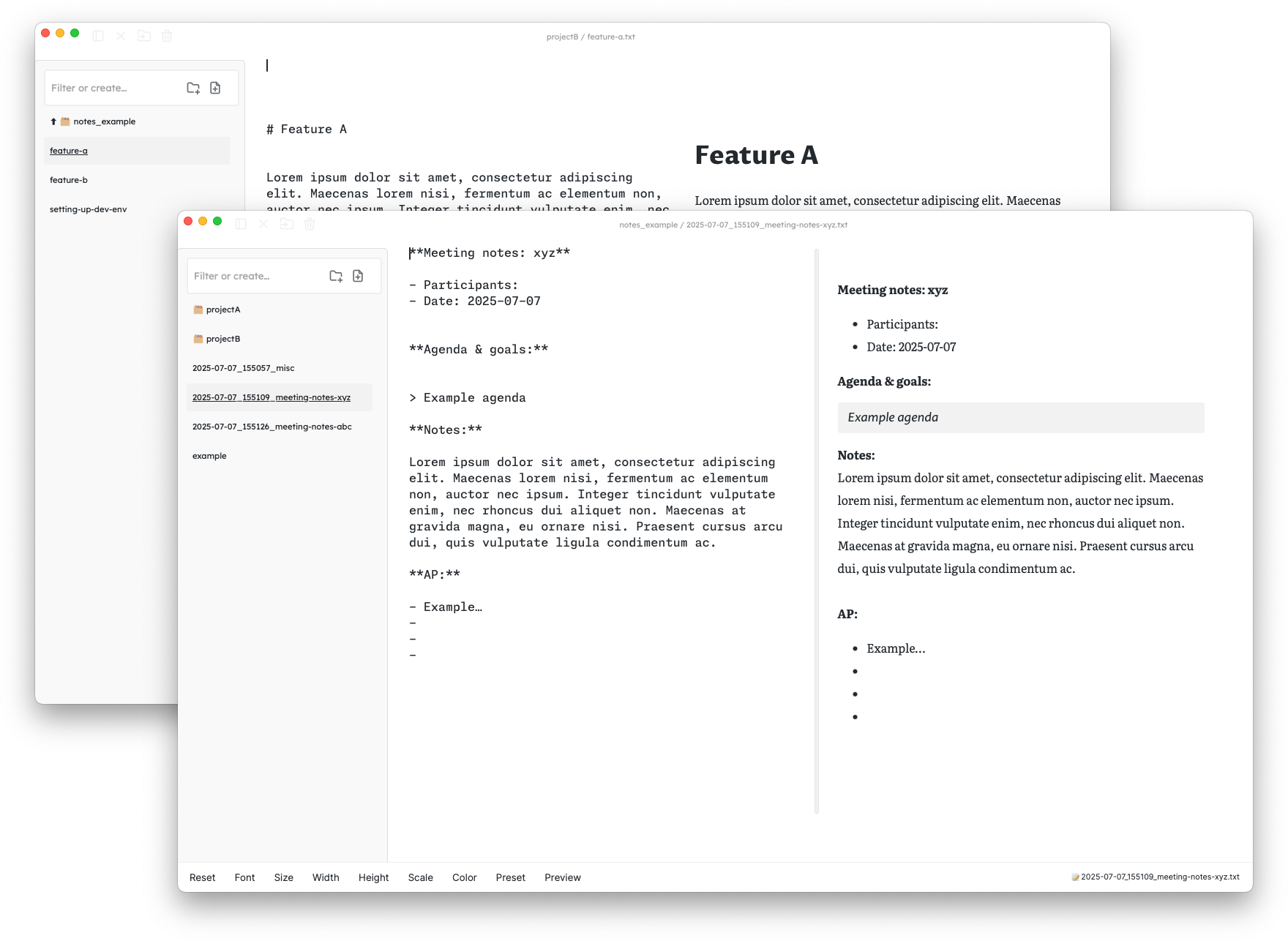
The application has a file sidebar with the currently open directory’s files and folders listed. Clicking on a folder will open that folder and none of the parent or sub-folder contents is listed anymore. This allows the folder to have that exact scope and there won’t be any mixing of project A and B files.
When opening a new window, the default directory’s files will be shown, but drag & dropping a folder on the window will open the dropped directory. Instant save feature will use the currently open folder.
The file filter input box also acts as a create & open at the same time: inputting text and pressing cmd+return will either open or create a file with that name. Similar multifunction filter/search can be found in Notational Velocity or FSNotes.